![Nimbello_Logo_CMYK_Horzontal_Color_TM.png]](https://www.nimbello.com/hs-fs/hubfs/Nimbello_Logo_CMYK_Horzontal_Color_TM.png?height=40&name=Nimbello_Logo_CMYK_Horzontal_Color_TM.png)
Steps
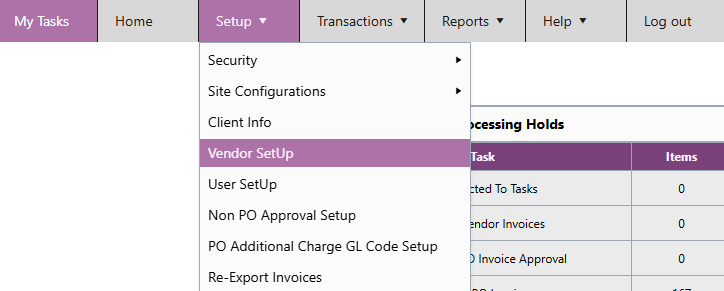
- In the header menu, navigate to Setup > Vendor Setup.
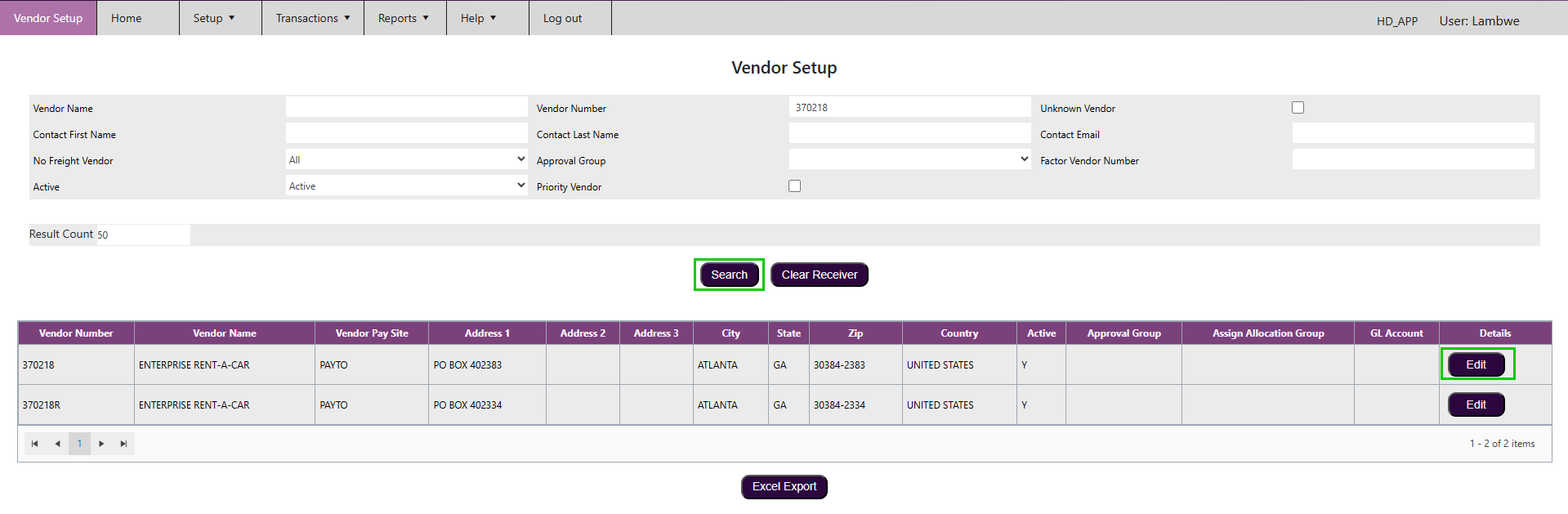
- Enter the Vendor Name or Vendor Number in the search fields, then click Search.
- Locate the vendor in the results and click Edit.
- Find the Approval Group field and select the desired group from the dropdown.
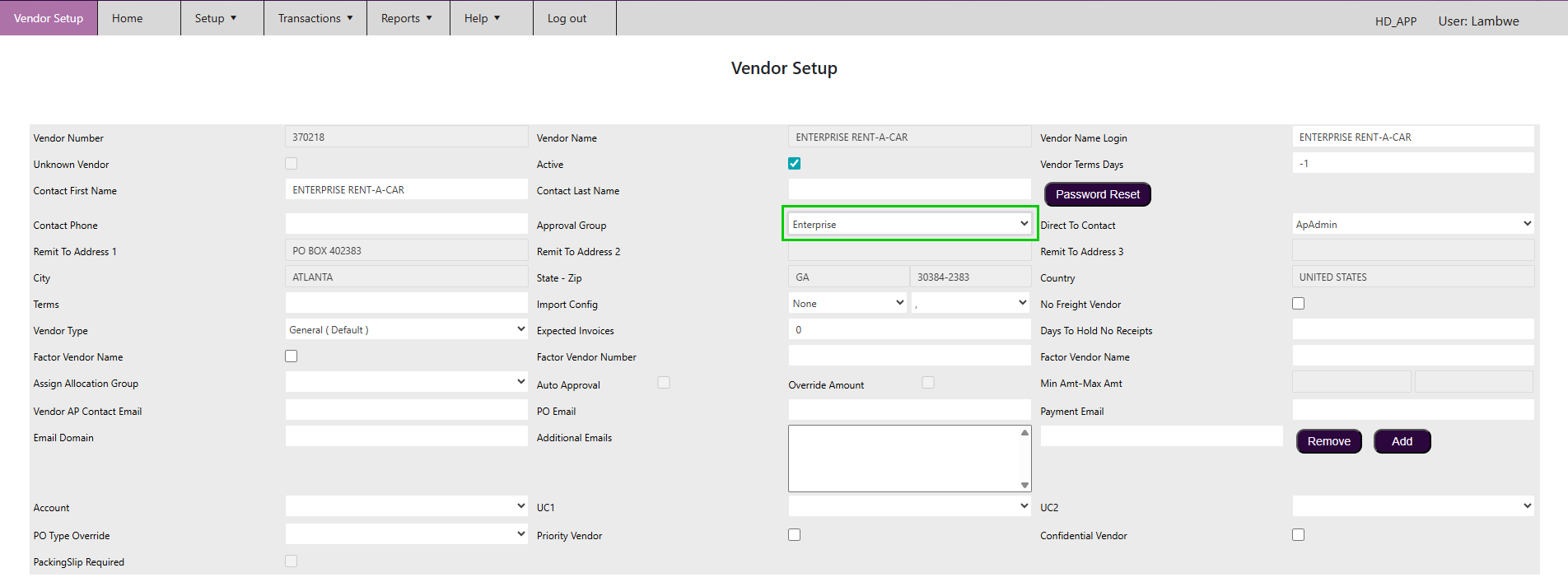
- Click Save.
Invoices received from this vendor will now automatically route to the configured approval group.