![Nimbello_Logo_CMYK_Horzontal_Color_TM.png]](https://www.nimbello.com/hs-fs/hubfs/Nimbello_Logo_CMYK_Horzontal_Color_TM.png?height=40&name=Nimbello_Logo_CMYK_Horzontal_Color_TM.png)
To archive an invoice in the portal, click on the 2 dot ellipsis icon followed by the down arrow in the top right of the header. You then select Archive from the drop-down menu.
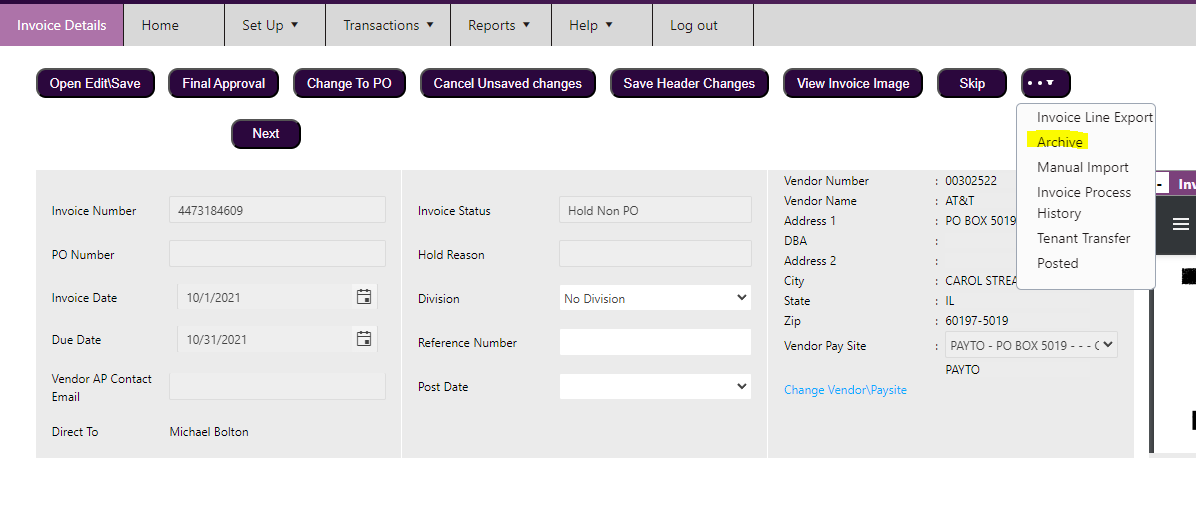
Archiving an invoice removes it from normal searches. You will need to select the Archived status in the "Invoice Status" section to view them.
